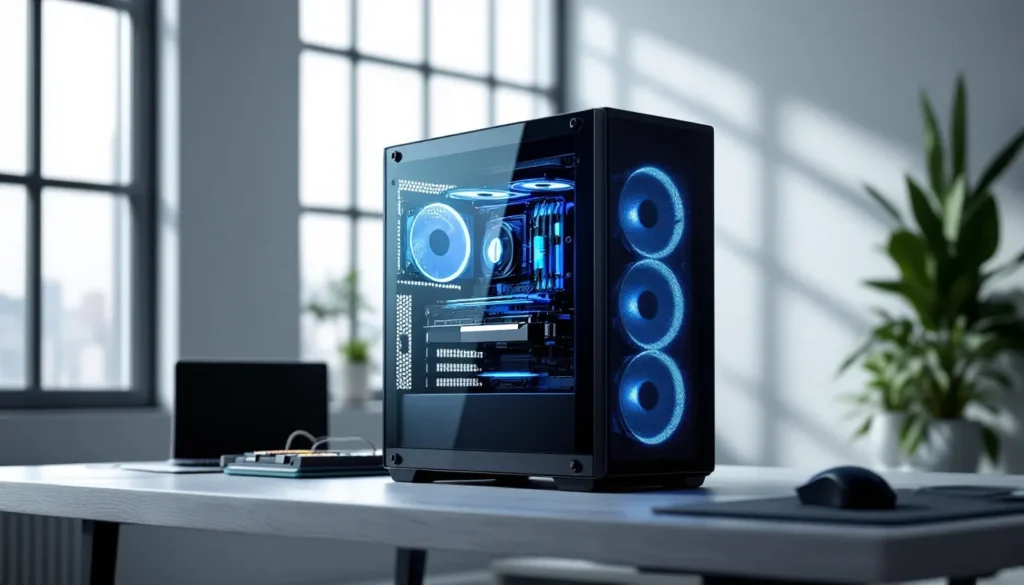
Picking a gaming PC box isn’t just about aesthetics, though RGB fans and tempered glass definitely don’t hurt. Your case is the foundation of your entire build, dictating airflow, expansion potential, and whether your high-end components stay cool under load or thermal throttle during that clutch competitive match. In 2026, the market’s more crowded than ever with options ranging from budget mesh towers to premium pre-built systems that ship ready to game.
Whether you’re building your first rig or upgrading from a dated chassis, understanding what separates a solid gaming PC box from a hot, noisy disaster can save you hundreds in component longevity and spare you countless hours troubleshooting thermal issues. This guide breaks down everything from form factors and airflow design to the specific features that actually matter when your GPU is pulling 350W and your CPU’s boosting to 5.8GHz.
Key Takeaways
- A gaming PC box is either the physical chassis that houses your components or a complete pre-built system, and your choice between cases directly impacts thermal performance, cooling efficiency, and component longevity.
- Mesh front panels can run 8-12°C cooler than solid or tempered glass fronts, allowing GPUs to maintain higher boost clocks and deliver 3-5% more FPS in GPU-limited scenarios.
- Mid-tower cases represent the best value and practicality for 90% of gaming builds, supporting up to 370mm GPUs and offering excellent cooling with 280mm or 360mm AIO radiators at prices starting around $80-100.
- Always verify GPU clearance, CPU cooler height, and radiator compatibility before selecting a gaming PC box to avoid costly returns and compatibility issues with your specific components.
- Positive airflow pressure with filtered intakes reduces dust buildup compared to negative pressure, while quality cable routing and build materials (0.8mm+ steel) directly affect both cooling efficiency and system longevity across multiple component upgrades.
What Is a Gaming PC Box?
A gaming PC box typically refers to either the physical case that houses your components or a complete pre-built gaming system packaged and ready to use. The term’s a bit ambiguous, some gamers use it to describe just the chassis, while others mean the entire tower including all internal hardware.
At its core, a gaming PC box is the enclosure that protects your motherboard, GPU, CPU cooler, PSU, storage drives, and all the cables connecting them. It’s not just a metal shell, modern cases are engineered with specific thermal profiles, cable routing channels, and mounting systems designed to handle the heat output and physical demands of high-performance gaming components.
Understanding the Difference Between Cases and Pre-Built Systems
The confusion around “gaming PC box” comes from two distinct product categories sharing similar terminology.
Gaming cases are empty chassis sold separately. You buy the case, then source and install every component yourself, motherboard, CPU, RAM, GPU, storage, PSU, and cooling. This gives you complete control over specs and budget allocation. Cases range from $50 budget options to $300+ premium models with custom water cooling support and tool-less designs.
Pre-built gaming systems are complete PCs assembled by manufacturers like NZXT, Alienware, CyberPowerPC, or iBuyPower. These arrive in branded boxes with all components installed, Windows activated, and drivers configured. You’re paying for convenience and warranty support, though you typically sacrifice some value compared to building yourself. The “box” in this context refers to the entire system, not just the case.
When shopping, context matters. A listing for “gaming PC box” on Amazon might show cases, while the same search on Best Buy could surface complete systems. Always check whether you’re buying an empty chassis or a ready-to-game machine.
Why Gaming PC Boxes Matter for Performance
Your case isn’t a passive container, it’s an active participant in system performance. A poorly designed gaming PC box can cost you 5-15% performance through thermal throttling, and in extreme situations, it can shorten component lifespan or cause stability issues during demanding workloads.
Airflow and Thermal Management
Modern gaming components generate serious heat. An RTX 5080 can dump 320W of thermal energy, while a Ryzen 9 9950X under all-core load pushes another 200W. That’s 520W of heat your case needs to exhaust efficiently.
Airflow design separates mediocre cases from excellent ones. The standard configuration uses front intake fans pulling cool air across components and rear/top exhaust fans pushing hot air out. This creates positive pressure (more intake than exhaust) or negative pressure (more exhaust than intake), each with tradeoffs.
Positive pressure reduces dust buildup since air enters through filtered intakes rather than pulling through unfiltered gaps. Negative pressure can improve GPU thermals by more aggressively exhausting hot air, but it increases dust accumulation. Most modern cases target slight positive pressure with filtered intakes on all fan mounts.
Mesh vs. solid front panels make a measurable difference. Cases with unrestricted mesh fronts can run 8-12°C cooler than identical models with solid or tempered glass fronts. That temperature delta directly impacts boost clocks, your GPU might hold an extra 30-60MHz sustained boost in a well-ventilated case, translating to 3-5% more FPS in GPU-limited scenarios.
Cable Management and Build Quality
Clean cable routing isn’t just about aesthetics, bundled cables blocking airflow paths can create hotspots and reduce cooling efficiency. Quality gaming PC boxes include:
- PSU shrouds that hide the power supply and its cable spaghetti
- Rear cable channels with at least 20-25mm clearance for routing
- Velcro straps or tie-down points to secure cables along designated paths
- Rubber grommets on cable routing holes to protect wires and improve appearance
Build quality affects longevity and ease of installation. Steel construction adds weight but provides rigidity and better sound dampening than thin aluminum or plastic. 0.8mm steel panels offer a good balance, thick enough to minimize flex and vibration, light enough to keep weight reasonable.
Tempered glass panels should be at least 4mm thick with properly reinforced mounting points. Cheaper implementations have earned a reputation for spontaneous shattering, usually from micro-fractures around poorly designed screw points or inadequate rubber dampening.
Noise Reduction and Acoustics
Performance and silence exist in tension, more airflow usually means more noise. Gaming PC boxes tackle acoustics through several approaches:
Sound-dampening foam on side panels absorbs fan noise and vibration. Cases like the Fractal Define series use this extensively, though it adds thickness and slightly restricts airflow. You’re trading 2-3°C higher temps for noticeably quieter operation.
Fan quality and placement matter more than dampening material. Three 140mm fans at 900 RPM move more air and generate less noise than five 120mm fans at 1200 RPM. Cases designed around larger, slower fans achieve better acoustic profiles.
Vibration isolation prevents fan and HDD vibration from resonating through the case frame. Rubber mounting points and suspended drive cages eliminate the metallic hum that plagues cheaper chassis. If you’re running mechanical drives, this becomes critical.
Types of Gaming PC Boxes in 2026
Gaming cases have segmented into distinct categories, each optimized for different builds, desk setups, and performance targets. Choosing the right form factor determines your expansion options, cooling potential, and whether your rig fits on or under your desk.
Full Tower Cases
Full towers are the big boys, typically 22-24 inches tall and supporting E-ATX motherboards up to 12 inches wide. These aren’t for everyone, but they excel in specific scenarios:
- Custom water cooling loops with 360mm+ radiators on multiple mounting points
- Extreme multi-GPU configurations (increasingly rare but still relevant for rendering workstations)
- Maximum storage capacity with room for 8-12 drive bays
- Unrestricted airflow with space for 9+ case fans
Popular models include the Corsair 7000D Airflow and Lian Li O11D XL. These cases weigh 30+ pounds empty and require floor placement or reinforced desk space. They’re overkill for single-GPU gaming builds but make sense if you’re running dual RTX 5090s for AI workloads or need extensive storage arrays.
Thermals in full towers are usually excellent, the sheer internal volume means hot air can disperse before components absorb it. But, the extra space can cause dust accumulation if you’re not diligent with filtered intakes and regular cleaning.
Mid Tower Cases
The sweet spot for 90% of gaming builds. Mid towers support standard ATX motherboards (9.6 x 12 inches) and fit GPUs up to 370mm long, accommodating everything from budget RTX 5060 builds to high-end RTX 5080 configurations.
Key advantages:
- Manageable size (18-20 inches tall) fits on or under most desks
- Sufficient cooling with support for 280mm or 360mm AIO radiators
- Expansion flexibility for 2-4 storage drives and standard I/O
- Better value with excellent options starting around $80
Standout 2026 models include the Fractal Torrent (optimized for dual front 180mm fans), Lian Li Lancool 216 (exceptional airflow for under $100), and NZXT H7 Flow (clean aesthetic with mesh front). Recent testing from Tom’s Hardware shows modern mid towers matching full tower thermals when properly configured, making the size premium harder to justify.
Mid towers hit diminishing returns on airflow, you can’t physically fit enough fans to bottleneck cooling on air-cooled builds. They also handle current GPU lengths without issue, since even the massive RTX 5090 Founders Edition sits at 304mm.
Mini-ITX and Small Form Factor
SFF cases cater to the LAN party crowd, living room gaming setups, and anyone who values desk real estate. These compact boxes support Mini-ITX motherboards (6.7 x 6.7 inches) and innovative engineering to pack gaming performance into volumes under 20 liters.
Challenges with SFF:
- Thermal constraints from limited airflow volume
- Component compatibility requiring low-profile coolers or specific GPU lengths
- Higher prices due to specialized engineering and smaller production runs
- Difficult builds with tight tolerances and limited cable management space
Even though the challenges, 2026’s SFF cases have evolved significantly. The Cooler Master NR200P MAX includes a pre-installed 850W SFX PSU and 280mm AIO, simplifying compatibility concerns. The SSUPD Meshlicious supports full-length GPUs in a 14.6-liter vertical tower through clever sandwich layout design.
SFF builds work best with careful component selection, prioritize GPUs with excellent cooler designs, avoid power-hungry CPUs unless you’re experienced with custom cooling, and budget extra time for cable management in the cramped interior. You won’t save money going small, but the portability and aesthetic appeal justify the premium for many builders.
Pre-Built Gaming Systems and OEM Boxes
Pre-built systems package everything in manufacturer-specific cases ranging from understated office-style towers to RGB-laden gaming designs. These boxes are optimized for assembly line construction rather than end-user modifications.
Proprietary designs from Dell (Alienware), HP (Omen), and Lenovo (Legion) often use custom motherboard form factors, PSU connectors, and mounting systems. This complicates future upgrades, you can’t always swap to a standard ATX board or add a bigger power supply without replacing the entire case.
Boutique builders like NZXT BLD, iBuyPower, and CyberPowerPC typically use standard retail cases, giving you upgrade flexibility. Their systems ship in cases you could buy separately, maintaining compatibility with off-the-shelf components.
Thermal quality varies dramatically. Budget pre-builts often skimp on case fans and airflow optimization to hit price points, while premium systems from Origin PC or Maingear include extensive cooling and cable management. Always check reviews for specific models, a pre-built’s case quality directly correlates with its long-term performance and upgrade path.
Key Features to Look for in a Gaming PC Box
The difference between a solid gaming case and an excellent one comes down to specific features that improve usability, aesthetics, and long-term flexibility. These elements separate budget-conscious compromises from truly well-executed designs.
RGB Lighting and Customization Options
Addressable RGB (ARGB) has become standard in gaming cases, allowing per-LED color control synchronized across fans, strips, and components. Modern cases include integrated ARGB hubs or controllers that consolidate lighting control through motherboard software like ASUS Aura Sync, MSI Mystic Light, or proprietary apps.
Lighting placement matters more than quantity:
- Front intake fans with ARGB create dramatic lighting visible through mesh panels
- Vertical RGB strips along the front edge or behind tempered glass provide ambient glow
- Rear exhaust and top fans are rarely visible and don’t benefit much from RGB
The ARGB hub capacity determines expansion, most built-in controllers support 4-6 devices. If you’re planning extensive lighting, verify the controller can handle your fan count or budget for a separate hub.
Lighting control options range from case-mounted buttons (limited presets) to full motherboard integration (unlimited customization). Physical buttons work without software but offer maybe 6-8 static effects. Motherboard control requires compatible headers but enables reactive effects, game synchronization, and precise color tuning.
Tempered Glass vs. Mesh Panels
This represents the core aesthetic vs. performance tradeoff in modern case design.
Tempered glass provides a clean, premium look that showcases your components and RGB lighting. Side panels are standard, but some cases like the Lian Li O11 Dynamic use glass on three sides for maximum visibility. The downsides:
- Weight penalty of 3-5 pounds per panel
- Restricted airflow when used on front panels (8-12°C higher temps)
- Fingerprint magnetism requiring constant cleaning
- Shattering risk from improper handling or tightened screws
Mesh panels prioritize airflow over aesthetics. High-quality mesh (fine weave, not perforated metal) allows maximum air intake while filtering dust. Cases with full mesh fronts consistently outperform glass-fronted alternatives in thermal testing from publications like PC Gamer.
The best compromise? Mesh front with glass side panel. You get showcase visibility for your components while maintaining optimal intake airflow. Cases like the Fractal Torrent, Phanteks P500A, and Cooler Master H500 execute this balance perfectly.
Some manufacturers offer interchangeable panels, letting you swap between glass and mesh based on whether you’re prioritizing aesthetics for a photo shoot or thermals for a gaming marathon. This flexibility costs $20-40 extra but solves the either-or dilemma.
Expansion Slots and Drive Bays
PCIe slot access determines GPU and expansion card support. Standard ATX cases provide seven horizontal slots, accommodating:
- Modern GPUs (2-3.5 slots thick)
- Sound cards, capture cards, or network adapters (1 slot each)
- Vertical GPU mounting brackets (requires 7 slots for clearance)
Some SFF and budget cases reduce this to 4-5 slots, which limits vertical mounting and thick GPUs. Verify your GPU’s slot count, the RTX 5090 Founders Edition occupies 3.5 slots and won’t fit in cases with tighter spacing.
Drive bay configuration has shifted dramatically as SSDs replaced HDDs:
- 2.5-inch SSD bays: 2-4 dedicated mounts (SSD trays behind motherboard or on PSU shroud)
- 3.5-inch HDD cages: 2-4 slots in budget/mid-range cases, often removable to improve GPU clearance
- M.2 mounts: Increasingly common as cases add motherboard backside cutouts for tool-less M.2 access
Modern builds rarely need more than 2-3 drive bays total. If you’re running extensive media storage, look for cases that support 4+ HDDs without sacrificing front airflow.
Front Panel Connectivity
I/O panel placement and options impact daily usability more than you’d expect. Top-mounted I/O is convenient for desk placement but collects dust. Front-angled panels (slightly recessed) provide a cleaner look and better dust protection.
Essential 2026 connectivity:
- USB-C (USB 3.2 Gen 2×2 or USB4): 20Gbps+ transfer speeds for fast external SSDs
- USB-A 3.2: At least two ports for peripherals, RGB controllers, or charging
- Headphone and mic jacks: 3.5mm combo or separate ports
- Power and reset buttons: Slightly recessed to prevent accidental presses
Bonus features in premium cases:
- USB-C with 60W+ power delivery for charging devices or powering portable monitors
- SD card readers (invaluable for content creators)
- Fan speed controls (physical knob or buttons for quick adjustment)
- RGB controls (standalone lighting adjustment without software)
Verify your motherboard header compatibility, older boards lack USB-C front panel headers. You’ll need a PCIe adapter card or internal USB 3.0 to USB-C adapter to use front USB-C on legacy motherboards.
Best Gaming PC Boxes by Budget and Use Case
Case selection should align with your total build budget and performance targets. Here’s how the market segments in 2026, with specific models worth considering at each tier.
Budget-Friendly Options Under $100
Cheap doesn’t mean compromised, several sub-$100 cases deliver solid fundamentals without premium materials or excessive features.
Lian Li Lancool 216 ($90-95): The value champion with dual 160mm front intake fans, full mesh front panel, and support for 360mm radiators. Thermals rival cases twice the price. Build quality uses 0.8mm steel with minimal flex, and cable management includes decent rear clearance with basic rubber grommets. The main compromises: no included RGB, relatively heavy at 24 pounds, and the glass side panel uses sliding rails rather than hinges.
Fractal Pop Air ($75-85): Compact mid-tower emphasizing airflow through unrestricted mesh on all intake surfaces. Comes with three 120mm fans pre-installed (two front, one rear). The Pop Air fits GPUs up to 335mm and tower coolers up to 167mm, enough for most mainstream builds. Aesthetics lean minimal with optional colored accent panels (orange, pink, or black).
Cooler Master TD300 Mesh ($70-80): Micro-ATX budget option for smaller builds. Even though the reduced footprint, it accommodates GPUs up to 350mm and 165mm CPU coolers. The polygonal mesh front panel pattern looks distinctive without RGB, and the included 120mm rear fan can be supplemented with two front intake fans (sold separately). At 16 pounds, it’s one of the lighter cases without feeling cheap.
Budget case realities: You’ll need to purchase additional fans in most cases (2-3 pack of quality 120mm or 140mm fans runs $30-50). Cable management takes more effort without premium routing features. Tempered glass quality varies, budget panels are more prone to shattering from overtightened screws.
Mid-Range Cases for Enthusiast Builds
The $100-200 range offers the best price-to-feature ratio, with premium materials, excellent airflow, and quality-of-life improvements that make building easier.
Fractal Torrent ($180-200): Engineering excellence focused on massive airflow. The defining feature: two 180mm front intake fans pushing 270+ CFM combined. Independent testing consistently shows the Torrent running 5-8°C cooler than mesh competitors under identical loads. The offset fan design moves intake higher to blow directly onto GPU and CPU areas. Build quality uses thick steel with integrated vibration dampening. The major downside: it’s huge (similar footprint to some full towers) and heavy at 29 pounds.
Phanteks P500A D-RGB ($140-160): Balanced design with mesh front, three included 140mm ARGB fans, and flexible mounting options. The P500A excels at clean builds through extensive cable management features including removable velcro straps, multiple routing channels, and a generous 25mm rear clearance. Supports radiators up to 420mm on top or 360mm in front. The integrated ARGB controller and case-mounted lighting buttons eliminate software requirements.
Lian Li O11 Dynamic Evo ($150-170): The showcase case for custom water cooling and maximum visibility. Three tempered glass panels (front, side, rear) with aluminum frame construction. Unlike traditional layouts, it uses a dual-chamber design with PSU and drives hidden behind the motherboard. This isn’t optimized for air cooling, you’ll need 6-9 case fans minimum for adequate airflow. It’s specifically engineered for AIO or custom loop builds where radiators provide intake airflow.
NZXT H7 Flow ($130-150): Refined evolution of NZXT’s H-series with improved airflow from the perforated front panel. Three 120mm fans included, clean cable management bar on the back side, and thoughtful details like hinged tempered glass with single-latch mechanism. The H7 Flow works equally well for RGB showcase builds or subtle professional aesthetics. PCWorld’s recent hardware reviews highlight its ease of building compared to competitors with more cramped interiors.
Premium High-End Gaming Boxes
Above $200, you’re paying for exceptional build quality, innovative features, or boutique aesthetics that set your build apart.
Fractal Torrent Compact ($200-220): All the engineering brilliance of the full Torrent in a slightly smaller package. Still uses 180mm front fans but reduces overall height by 2 inches and width by 1 inch. The compact version maintains the thermal excellence while fitting more desk setups. Premium sound dampening and tool-less drive installation add convenience.
Lian Li O11 Dynamic XL ($220-250): Full tower version with space for dual systems or extreme custom loops. Supports 420mm radiators on top, front, and bottom simultaneously. The extra volume allows more flexible tube routing and larger reservoirs for custom water cooling. At 33 pounds empty, it’s a dedicated showcase piece, not a practical choice for standard air-cooled builds.
Corsair 5000D Airflow ($200-230): Premium mid-tower focused on builder convenience. Features include removable front panel with magnetic dust filters, reversible door panels for left-hand cable management visibility, and RapidRoute cable management system that pre-routes common connections. Exceptional build quality with 1.0mm steel and reinforced tempered glass mounts. Supports up to 10 fans and 360mm radiators in multiple positions.
Hyte Y70 ($210-240): Luxury aesthetics with a panoramic three-panel glass design and vertical motherboard mount. The showpiece feature: integrated adjustable RGB strips in the aluminum frame. Internal layout prioritizes display over traditional optimization, plan on AIO cooling since tower cooler visibility is limited in vertical orientation. The Y70 targets system builders prioritizing showcase appeal for streaming setups or display builds.
How to Choose the Right Gaming PC Box for Your Build
Matching your case to your specific components and use case prevents compatibility headaches and ensures you’re not overpaying for features you won’t use or undersizing critical elements.
Matching Your Case to Your Components
Start with your largest and most demanding components, then work backward to case requirements.
GPU clearance is the primary constraint. Measure your graphics card length (listed in specs or product pages) and compare to case maximum GPU length. Add 10-20mm buffer for cable clearance, you don’t want power connectors touching the front fan shroud.
Common GPU lengths in 2026:
- RTX 5060/5070: 270-300mm
- RTX 5080: 300-330mm
- RTX 5090: 300-340mm (founders) / 320-360mm (AIB models)
- AMD RX 8800 XT: 285-310mm
If you’re considering vertical GPU mounting, verify the case supports it without adapter brackets that consume PCIe slots. Vertical mounts also require checking GPU width against side panel clearance, thick cards (60mm+) may not fit vertically in cases with tight tolerances.
CPU cooler height matters for tower air coolers. Most mid-towers support up to 165-170mm, which accommodates flagship coolers like the Noctua NH-D15 (165mm) or be quiet. Dark Rock Pro 4 (163mm). SFF cases restrict this to 120-150mm, requiring low-profile coolers or AIO liquid cooling.
AIO radiator support varies by case:
- Budget cases: 240mm or 280mm front-mount only
- Mid-range: 280mm front + 240mm top, or 360mm front + 240mm top
- Premium/full tower: 360mm+ in multiple positions, sometimes 420mm support
Check radiator thickness compatibility too, thicker radiators (40mm+) may not fit if you’re also using high-RPM fans or if there’s interference with RAM or VRM heatsinks.
PSU length rarely causes issues in mid-tower or larger cases, which support up to 200mm+ power supplies. SFF cases require SFX or SFX-L form factors (shorter, more expensive). If you’re using modular cable extensions, ensure the case has adequate depth behind the PSU shroud for the connectors.
Motherboard form factor determines your starting point:
- E-ATX (12″ wide): Requires full tower or large mid-tower with explicit E-ATX support
- ATX (9.6″ x 12″): Standard for mid-tower and full-tower cases
- Micro-ATX (9.6″ x 9.6″): Fits in mid-tower or dedicated micro-ATX cases
- Mini-ITX (6.7″ x 6.7″): Works in any case, but wastes space in full/mid-towers
Don’t oversized your case for future motherboard flexibility, form factor changes are rare in practice. Match your current board size.
Considering Your Gaming Setup and Desk Space
Desk vs. floor placement influences size priorities:
On-desk builds should stay under 20 inches tall and 9 inches wide for typical desk clearance. Consider noise levels carefully since the case sits 2-3 feet from your ears. Prioritize tempered glass side panels for visibility, and verify the case looks good from your viewing angle (some cases have unattractive back/side profiles).
Under-desk placement allows larger cases but complicates I/O access. Top-mounted I/O panels become harder to reach, favoring front-angled designs. Floor placement increases dust exposure, prioritize cases with filtered intakes and positive pressure airflow. Aesthetics matter less unless your desk has open legs providing visibility.
LAN party portability demands compact form factors under 40 pounds with integrated carry handles. The Fractal Torrent Compact, Cooler Master H500, and most SFF cases fit this requirement. Full towers are stay-at-home builds unless you enjoy heavy lifting.
Room acoustics and ambient noise matter more than case specs suggest. In a quiet bedroom, even cases marketed as “silent” will have audible fan noise at idle. In a room with AC, ambient noise masks fan sound almost entirely. Consider your environment before paying premiums for sound-dampened cases that sacrifice 3-5°C thermal performance.
Future-Proofing Your Gaming PC Box
Cases last 5-10 years across multiple component generations if chosen wisely. Focus on these longevity factors:
Expansion flexibility ages better than cutting-edge features. A case supporting seven PCIe slots, multiple radiator positions, and generous drive bays adapts to unknown future requirements. Today’s minimal aesthetic might not accommodate tomorrow’s expansion card for neural processors or whatever hardware emerges.
Build quality determines whether your case remains solid or develops creaky panels and stripped screw holes after multiple rebuilds. Steel thickness (0.8mm+), reinforced glass mounts, and quality thumbscrews survive repeated maintenance. Cheap plastic clips and thin aluminum panels won’t.
USB-C front panel connectivity is standard now, but verify your motherboard has the 20-pin header for USB 3.2 Gen 2×2 speeds. Buying a case with USB-C front panel when your board lacks the header frustrates unless you add a PCIe adapter.
Avoid proprietary designs, cases with standard mounting, ATX PSU support, and conventional fan headers adapt to changing component standards. Boutique cases with integrated custom water cooling or non-standard motherboard mounting create upgrade barriers.
Timeless aesthetics survive trends better than aggressive gaming designs. The RGB-laden spaceship aesthetic popular in 2020-2022 already looks dated. Clean, minimal cases with optional lighting age more gracefully than permanent molded-in Gamer Aesthetic™ features.
Common Mistakes to Avoid When Buying a Gaming PC Box
First-time builders and even experienced upgraders make predictable errors when selecting cases. Avoiding these saves money and frustration.
Prioritizing aesthetics over airflow: Tempered glass everything looks incredible in photos, but suffocates components under sustained loads. A case that thermal throttles your GPU costs more performance than RGB adds visual appeal. Always check thermal reviews before committing to a design-first case.
Buying too small: The temptation of compact builds runs into reality when your GPU doesn’t fit or cable management becomes a nightmare. Unless you specifically need SFF portability, mid-towers provide significantly easier builds without meaningful size penalties. The 2-3 inch difference between micro-ATX and ATX rarely matters, but the internal volume simplifies everything.
Buying too large: Conversely, full towers are overkill for 90% of builds. You’re hauling around extra weight, paying $50+ premiums, and dealing with inefficient airflow patterns when a mid-tower offers identical performance. Only go full tower if you’re running custom loops, dual systems, or 8+ storage drives.
Ignoring GPU clearance measurements: “It’ll probably fit” ends with forced returns. Always verify exact clearances, manufacturers list maximum GPU length for a reason. Check user reviews for real-world experiences with thick cards or aftermarket coolers that exceed reference specs.
Skimping on fans: A $100 case with no included fans isn’t a $100 case, it’s a $130-150 case after adding proper airflow. Budget for at least three quality fans minimum (two intake, one exhaust). Spending $15 on cheap fans that rattle at 1200 RPM defeats the purpose.
Overlooking PSU clearance: Modular PSU cables add 20-30mm to depth behind the power supply. If your case barely fits your PSU’s listed length, cable connectors may push against the drive cage or interfere with bottom intake fans. Check build logs from other users with similar PSU models.
Forgetting about cable management space: Cheap cases with 15mm rear clearance force cables to bulge, making it impossible to close the back panel without pressure. This stresses cable connections and looks terrible. Minimum 20mm rear clearance should be mandatory.
Not checking motherboard standoff positions: Micro-ATX boards require different standoff placement than ATX. Mid-towers support both, but verify your specific case includes standoffs for your motherboard size or they’re adjustable. Missing standoffs cause improper grounding and potential shorts.
Assuming pre-installed fans are sufficient: Three included fans sounds great until you realize they’re all 800 RPM low-airflow models. Check fan specs, you want CFM ratings around 50+ for 120mm fans. Low CFM fans are quiet but inadequate for high-power components.
Buying based on a single reviewer: Case performance varies by component configuration, testing methodology, and ambient temperature. Cross-reference multiple reviews from different sources. A case performing well with a mid-range GPU might struggle with a power-hungry flagship under sustained load.
Building vs. Buying Pre-Built: What to Know About Gaming PC Boxes
The case element changes significantly between DIY builds and pre-built systems, affecting upgrade paths, warranty coverage, and long-term flexibility.
DIY case selection gives you complete control. You choose the specific model based on your priorities, airflow, aesthetics, size, features, and source every component independently. This maximizes performance per dollar spent since you’re not paying assembly markup or being locked into specific component combinations.
The learning curve exists but isn’t as steep as commonly believed. Modern cases with tool-less designs and extensive cable management support make first builds manageable with patience and online tutorials. Budget 4-6 hours for a first build, 2-3 hours for experienced builders.
Pre-built gaming systems use cases in three ways:
Retail cases from known brands (NZXT, Fractal, Corsair, Lian Li): Boutique builders often let you select from a list of cases, then build your system in your chosen chassis. This maintains upgrade flexibility, you can swap components later just like a self-built system. Companies like CyberPowerPC and iBuyPower primarily work this way.
Proprietary cases designed for specific lines: Dell Alienware, HP Omen, and Lenovo Legion use custom-designed enclosures optimized for their assembly processes. These look distinctive but complicate upgrades. Motherboards use custom mounting, PSUs have proprietary connectors, and front panels employ non-standard headers. You can usually upgrade GPU and RAM, but CPU/motherboard/PSU changes might require replacing everything.
Budget OEM boxes: Entry-level pre-builts from major retailers often use generic OEM cases with minimal features, basic steel boxes with adequate airflow but no cable management, limited expansion, and bare-minimum build quality. These work fine initially but feel restrictive during first upgrade attempts.
Warranty considerations affect how you can interact with pre-built cases. Most manufacturers allow RAM and storage upgrades without voiding warranty, but opening the case for GPU swaps or adding cooling fans might technically void coverage. Check specific warranty terms before modifications, some companies require authorized service centers for any hardware changes during the warranty period.
Thermal performance in pre-builts varies wildly. Premium builders like Origin PC and Maingear include extensive cooling, custom fan curves, and thermal testing before shipping. Budget pre-builts may barely pass thermal checks at idle, then thermal throttle during sustained gaming. Always research specific pre-built model thermals before buying, a great price means nothing if the system throttles after 20 minutes of gameplay.
The upgrade path question: If you’re considering a pre-built, verify the case and components use standard form factors. ATX motherboard, standard 24-pin PSU connector, conventional fan headers, and regular drive mounts mean you can upgrade normally. Proprietary formats lock you into the manufacturer’s ecosystem for parts.
Cost analysis in 2026: Pre-built pricing has become more competitive as GPU availability normalized and manufacturers optimized assembly. You’re typically paying 10-15% premiums over DIY builds for equivalent specs, in exchange for warranty, support, and convenience. For first-time PC users, that premium often makes sense. For enthusiasts who enjoy building and want specific components, DIY remains superior.
Conclusion
Your gaming PC box, whether it’s an empty case awaiting components or a complete pre-built system, directly impacts performance, upgrade potential, and how much you enjoy using your rig. The difference between adequate and excellent comes down to understanding your specific requirements: the components you’re installing, where the system lives in your setup, and how you prioritize thermals versus aesthetics.
Mid-tower cases with mesh fronts continue dominating for good reason, they balance size, cooling, and features at reasonable prices. But the right choice depends on your build. Competitive gamers chasing maximum FPS should prioritize airflow-optimized designs that keep boost clocks high. Streamers and content creators benefit from showcase cases with glass panels and RGB integration that look good on camera. LAN party regulars need compact, portable options under 40 pounds.
The case market in 2026 offers excellent options at every price point. There’s no excuse for poor thermals or restrictive builds anymore, whether you’re spending $75 or $250, quality options exist that get the fundamentals right. Focus on those fundamentals first, then add the aesthetic flourishes that make your build yours.