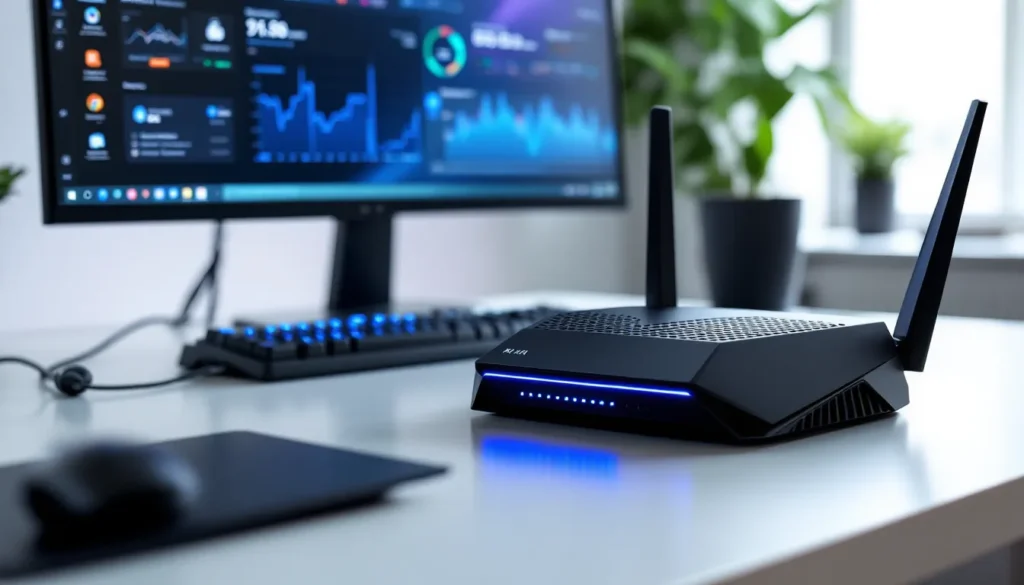
Nothing ruins a clutch moment faster than lag. One frame of stutter can mean the difference between a headshot and a respawn screen, between climbing rank and losing LP. For competitive gamers, connectivity isn’t just important, it’s everything.
Most players upgrade their GPU, refresh rate, or peripherals, but overlook the bottleneck sitting between them and the server: their internet gateway. A gaming modem router combo can eliminate rental fees, reduce latency, and give gamers full control over traffic prioritization. With the right hardware, players can cut ping spikes, reduce jitter, and ensure their packets get priority over every Netflix stream and YouTube upload happening in the house.
This guide breaks down the best gaming modem router combos available in 2026, the features that actually matter for online play, and how to squeeze every millisecond of performance out of the setup.
Key Takeaways
- A gaming modem router combo eliminates monthly rental fees ($240–$360 over two years) and provides better QoS features than ISP-provided gateways for competitive play.
- DOCSIS 3.1 with WiFi 6 is the baseline standard for gaming in 2026; prioritize devices with dynamic QoS to automatically detect and prioritize game traffic over background streaming.
- The NETGEAR Nighthawk CAX80 offers the best overall balance of performance and value, while the Motorola MG8702 provides budget-friendly WiFi 6 gaming at half the price.
- Proper optimization—including firmware updates, clean WiFi channel selection, wired Ethernet connections, and QoS configuration—can reduce ping by 5–15 ms and eliminate lag spikes.
- Common gaming connectivity issues like high ping, packet loss, and NAT problems can be fixed through QoS prioritization, interference management, and enabling UPnP or port forwarding in your modem router combo settings.
- For gamers on multi-gig fiber or cable plans seeking maximum performance, pairing a dedicated high-end modem like the Motorola MB8611 with a gaming router offers superior upgrade flexibility compared to combo devices.
Why Gamers Need a Dedicated Modem Router Combo
ISP-provided gateway devices are designed for casual browsing, not competitive gaming. They rarely include advanced QoS features, often use outdated WiFi standards, and come with firmware that’s locked down or updated on the provider’s schedule, not the user’s.
Renting an ISP modem router typically costs $10–$15 per month. Over two years, that’s $240–$360 down the drain. Buying a dedicated gaming modem router combo pays for itself within 12–18 months while delivering better performance.
Gaming modem router combos are built to handle the specific demands of online play: low latency, packet prioritization, and stable connections under load. When a household has multiple devices streaming, downloading, or video calling simultaneously, a gaming-focused device ensures that game traffic gets the bandwidth it needs. This is critical for genres like FPS, MOBA, and fighting games where reaction time and frame-perfect inputs determine outcomes.
Beyond performance, owning the hardware means full control. Gamers can update firmware immediately when patches drop, configure port forwarding without ISP restrictions, and optimize settings for specific titles or platforms.
Key Features to Look For in a Gaming Modem Router Combo
Not all modem router combos are created equal. Here’s what separates a solid gaming device from a laggy disappointment.
DOCSIS Standards and Download Speeds
DOCSIS 3.1 is the current standard for cable internet and supports gigabit speeds with headroom for future upgrades. DOCSIS 3.0 still works for plans under 300 Mbps, but it’s aging out fast as ISPs push fiber and multi-gig plans.
For 2026, DOCSIS 3.1 is the baseline. It offers lower latency than 3.0, better channel bonding, and compatibility with speeds up to 10 Gbps downstream. Gamers on gigabit or faster plans should prioritize DOCSIS 3.1 devices to avoid bottlenecks.
Download speed matters, but upload speed is just as critical. Streaming to Twitch, Discord voice chat, and sending game data all rely on upload bandwidth. Look for combos that support at least 35 Mbps upstream if the ISP plan allows it.
QoS and Traffic Prioritization
Quality of Service (QoS) is the single most important feature for gaming. It allows the router to identify gaming traffic and prioritize it over background downloads, streaming video, and cloud backups.
The best gaming combos offer dynamic QoS that automatically detects game packets and bumps them to the front of the queue. Some devices let users manually assign priority to specific devices (like a PC or console) or applications (like Steam, Battle.net, or Xbox Live).
Without QoS, every device on the network competes equally for bandwidth. That means a YouTube video in 4K can spike ping by 50+ ms, turning a smooth 20 ms connection into a laggy mess.
WiFi Standards and Band Support
For wired connections, WiFi standards don’t matter, but most households run a mix of wired and wireless devices. WiFi 6 (802.11ax) is the current standard, offering better performance in crowded environments, lower latency, and improved efficiency with multiple devices.
WiFi 6E extends into the 6 GHz band, which is less congested and offers cleaner channels for devices that support it. But, not all gaming hardware supports 6E yet, so WiFi 6 is the sweet spot for most setups in 2026.
Dual-band support (2.4 GHz and 5 GHz) is standard. Tri-band adds a second 5 GHz or a 6 GHz band, which is useful for households with 10+ devices or heavy streaming activity. Gamers should prioritize 5 GHz for lower latency and reserve 2.4 GHz for IoT devices and older hardware.
Latency Reduction Technologies
Some gaming modem router combos include proprietary latency reduction tech. ASUS AiProtection, NETGEAR DumaOS, and similar platforms offer geo-filtering (to block distant servers), ping heatmaps, and real-time traffic monitoring.
These features won’t magically fix a bad ISP connection, but they can shave 5–15 ms off ping in ideal conditions by optimizing routing and reducing overhead. For competitive players, every millisecond counts.
Top Gaming Modem Router Combos in 2026
Here’s the current lineup of modem router combos that deliver for gamers across budgets and use cases.
Best Overall Gaming Modem Router Combo
NETGEAR Nighthawk CAX80 (DOCSIS 3.1, WiFi 6, AX6000)
The CAX80 hits the sweet spot of performance, features, and price. It supports DOCSIS 3.1 with speeds up to 6 Gbps, WiFi 6 with AX6000 throughput, and includes NETGEAR Armor for network security.
Key specs:
- DOCSIS 3.1 (32×8 channel bonding)
- WiFi 6 AX6000 (dual-band)
- 4 Gigabit Ethernet ports + 1 Multi-Gig port (supports 1/2.5 Gbps)
- Dynamic QoS for gaming and streaming prioritization
- Compatible with major cable ISPs (Xfinity, Cox, Spectrum)
The CAX80 handles multi-gig plans without breaking a sweat, and the Multi-Gig port is perfect for wired PC setups or next-gen consoles. QoS implementation is solid, and firmware updates roll out regularly.
Price: ~$450–$500
Best Budget-Friendly Option
Motorola MG8702 (DOCSIS 3.1, WiFi 6, AX3200)
For gamers on a tight budget or slower internet plans (under 500 Mbps), the MG8702 delivers WiFi 6 and DOCSIS 3.1 at half the price of premium models.
Key specs:
- DOCSIS 3.1 (32×8 channel bonding)
- WiFi 6 AX3200 (dual-band)
- 4 Gigabit Ethernet ports
- Basic QoS and parental controls
- Compatible with Xfinity, Cox, Spectrum
It won’t match the CAX80’s throughput or advanced features, but it’s more than capable for 1080p/1440p gaming, Discord voice, and simultaneous streaming. The Ethernet ports are solid for wired setups, and the combo saves rental fees just as effectively as pricier models.
Price: ~$250–$280
Best for High-Speed Fiber and Cable
ASUS CM-AX6000 (DOCSIS 3.1, WiFi 6E, AX6000)
ASUS’s CM-AX6000 is built for multi-gig plans and future-proofing. It includes WiFi 6E for cleaner 6 GHz channels and ASUS’s AiProtection suite for advanced QoS and security.
Key specs:
- DOCSIS 3.1 (32×8 channel bonding)
- WiFi 6E AX6000 (tri-band with 6 GHz support)
- 2.5 Gigabit WAN/LAN port + 4 Gigabit Ethernet ports
- AiProtection Pro with Trend Micro security
- Adaptive QoS and gaming-specific traffic prioritization
- Compatible with major cable ISPs
The 6E band is still rolling out, but for gamers with compatible devices (newer gaming laptops, phones, or WiFi 6E adapters), the reduced interference is noticeable. Independent hardware testing by Tom’s Hardware shows WiFi 6E can reduce latency by up to 10% in crowded network environments.
Price: ~$550–$600
Best for Multi-Device Households
ARRIS SURFboard mAX Pro (DOCSIS 3.1, WiFi 6, AX11000)
The mAX Pro is designed for households with 15+ connected devices. It offers tri-band WiFi 6, mesh capabilities, and DOCSIS 3.1 for reliable throughput even under heavy load.
Key specs:
- DOCSIS 3.1 (32×8 channel bonding)
- WiFi 6 AX11000 (tri-band)
- 4 Gigabit Ethernet ports + 1 Multi-Gig 2.5 Gbps port
- Mesh-ready (expandable with additional mAX nodes)
- Advanced QoS with device-level prioritization
- Compatible with Xfinity, Cox, Spectrum
The mesh system is a bonus for larger homes where a single router can’t cover every room. Gamers can hardwire the main node to their PC or console and extend WiFi coverage to the rest of the house without sacrificing performance.
Price: ~$500–$550
Best Premium Performance Pick
NETGEAR Nighthawk RAXE500 Tri-Band Router + Motorola MB8611 Modem (Separate Setup)
Okay, technically this isn’t a combo, but for players chasing absolute zero-compromise performance, pairing a high-end modem like the Motorola MB8611 (DOCSIS 3.1, 2.5 Gbps Ethernet) with a dedicated gaming router like the NETGEAR RAXE500 (WiFi 6E, AX11000) is the gold standard.
Key specs:
- Motorola MB8611: DOCSIS 3.1, 2.5 Gbps Ethernet, 32×8 channels
- NETGEAR RAXE500: WiFi 6E AX11000, tri-band, 1x Multi-Gig 2.5 Gbps + 4 Gigabit ports
- Full DumaOS 3.0 integration for geo-filtering, ping optimization, and real-time network monitoring
This setup offers maximum flexibility, upgrade paths, and performance. If the modem fails, swap it without touching the router config. If WiFi 7 drops next year, upgrade the router and keep the modem.
Combined price: ~$650–$750
How to Optimize Your Gaming Modem Router Combo
Buying the right hardware is step one. Getting the most out of it requires a few key optimizations.
Firmware Updates and Security
Outdated firmware is a security risk and a performance killer. Manufacturers push updates that fix bugs, patch vulnerabilities, and sometimes improve QoS or WiFi performance.
Most modern modem router combos support automatic firmware updates. Enable this feature in the admin panel. For devices that don’t auto-update, check the manufacturer’s support page every 2–3 months.
Security matters for gaming, too. A compromised router can lead to DDoS attacks, bandwidth theft, or worse. Change the default admin password immediately, disable WPS (it’s a security hole), and enable WPA3 encryption if supported.
Channel Selection and Interference Management
WiFi channels overlap, especially on 2.4 GHz. Most routers auto-select channels, but they don’t always pick the cleanest one.
Use a WiFi analyzer app (like WiFi Analyzer on Android or NetSpot on PC) to scan nearby networks. On 2.4 GHz, stick to channels 1, 6, or 11. On 5 GHz, pick a channel with the least congestion, usually in the higher ranges (149–165).
For wired connections, channel selection doesn’t matter. But for gamers using WiFi (especially on handhelds like Steam Deck or Switch), clean channels reduce packet loss and jitter.
Placement and Signal Strength
Physics still matters. Place the modem router combo in a central location, elevated off the floor, away from thick walls or metal objects.
For wired gamers, run Ethernet directly from the combo to the PC or console. Cat 6 or Cat 6a cables are cheap and support multi-gig speeds. If running cables through walls isn’t an option, powerline adapters or MoCA (Ethernet over coax) are solid alternatives to WiFi.
Avoid placing the combo near microwaves, cordless phones, or Bluetooth devices, they all operate on 2.4 GHz and cause interference. Testing by PCWorld’s networking lab shows that interference can spike latency by 15–30 ms in worst-case scenarios.
Modem Router Combo vs. Separate Devices: What’s Better for Gaming?
The combo vs. separate debate depends on priorities.
Modem router combos are simpler, take up less space, and cost less upfront. They’re ideal for gamers who want plug-and-play convenience and don’t plan to upgrade individual components often. For most players on cable internet plans under 1 Gbps, a quality combo is more than enough.
Separate modems and routers offer flexibility. If a modem supports DOCSIS 3.1 and 2.5 Gbps Ethernet, it’ll stay relevant for years even as router tech evolves. Upgrading to WiFi 7 or a new gaming router doesn’t require replacing the modem.
Separate setups also offer better high-end options. The best gaming routers (like the ASUS ROG Rapture GT-AXE16000 or NETGEAR Orbi WiFi 6E) don’t come in combo form. Pairing one of these with a high-performance modem gives competitive players every possible edge.
For fiber users, the combo question is moot, fiber ONTs (optical network terminals) are provided by the ISP, so only a router is needed.
Bottom line: Combos are the best value for most gamers. Go separate if upgrading frequently or chasing absolute max performance.
Compatibility With Your ISP
Not every modem works with every ISP. Before buying, check the ISP’s approved modem list.
Xfinity (Comcast) has a compatibility page listing every approved DOCSIS 3.1 device. The CAX80, MG8702, and CM-AX6000 all appear on their list as of early 2026.
Spectrum supports most DOCSIS 3.1 combos but doesn’t allow modem rental buyouts, so purchasing is the only option.
Cox and Mediacom also maintain approved device lists. Most major brands (NETGEAR, Motorola, ARRIS, ASUS) are compatible, but double-check model numbers before purchasing.
AT&T and Verizon Fios do not support customer-owned modems for fiber service. These ISPs require their proprietary gateway, though users can enable bridge mode and connect their own router.
CenturyLink allows third-party modems on DSL, but fiber customers must use the provided ONT.
Always verify compatibility before buying. An incompatible modem is a paperweight.
Common Gaming Connectivity Issues and Fixes
Even the best modem router combo can’t fix every problem. Here’s how to troubleshoot the most common gaming connectivity headaches.
High ping or ping spikes: Check QoS settings and ensure gaming traffic is prioritized. Run a ping test to the game server (use ping [server IP] in command prompt). If ping is stable to the server but spiky in-game, the issue may be server-side or ISP routing. Contact the ISP to check for congestion or throttling.
Packet loss: Packet loss shows up as rubber-banding, teleporting enemies, or delayed hit registration. Test with ping -t [server IP] and watch for dropped packets. If packet loss occurs on WiFi but not Ethernet, interference or weak signal is the culprit. Switch to wired or relocate the router.
Double NAT issues: This happens when both the ISP gateway and the personal router are handling NAT, causing problems with party chat, matchmaking, or port forwarding. Solution: Enable bridge mode on the ISP gateway or the modem router combo (whichever is upstream).
Slow download speeds on console or PC: Verify the plan speed with a speed test on multiple devices. If wired speeds are good but WiFi is slow, check for interference or outdated WiFi drivers. If all devices are slow, contact the ISP. Gaming display and peripheral reviews from RTINGS often highlight how network performance affects input lag in online competitive scenarios.
Can’t connect to game servers or voice chat: Check NAT type. Open NAT (Type 1 or A) is ideal. Moderate NAT (Type 2 or B) works but may limit matchmaking. Strict NAT (Type 3 or C) causes connection failures. Enable UPnP in router settings or manually forward ports for specific games.
Frequent disconnects: Update firmware, check Ethernet cable quality (damaged cables cause intermittent drops), and verify the modem’s signal levels in the admin interface. Cable modems should show downstream power between -7 and +7 dBmV and upstream between 38 and 48 dBmV. Outside these ranges indicates a line issue requiring ISP support.
For persistent issues, check game-specific forums or subreddits. Some titles have known server problems or require specific router configs.
Conclusion
A gaming modem router combo is one of the best upgrades a player can make for online performance. It eliminates rental fees, delivers better QoS and traffic prioritization, and gives full control over network settings.
For most gamers, the NETGEAR Nighthawk CAX80 offers the best balance of performance, features, and value. Budget players should look at the Motorola MG8702, while those chasing peak performance or running multi-device households will benefit from the ASUS CM-AX6000 or ARRIS mAX Pro.
Pairing the right hardware with proper optimization, firmware updates, clean channel selection, and QoS configuration, ensures low ping, stable connections, and the competitive edge needed to dominate in 2026 and beyond.